
WhatsApp buying guides
WhatsApp BSP Migration: A Buyer Cutover Checklist
A WhatsApp BSP migration is not only a phone-number transfer. The buyer must preserve business ownership, validate which Meta assets move, rebuild provider-specific integrations and prove that real customer journeys work after cutover.
Prepared with AI assistance and checked against the linked sources. Numerical comparisons are illustrative unless expressly sourced.
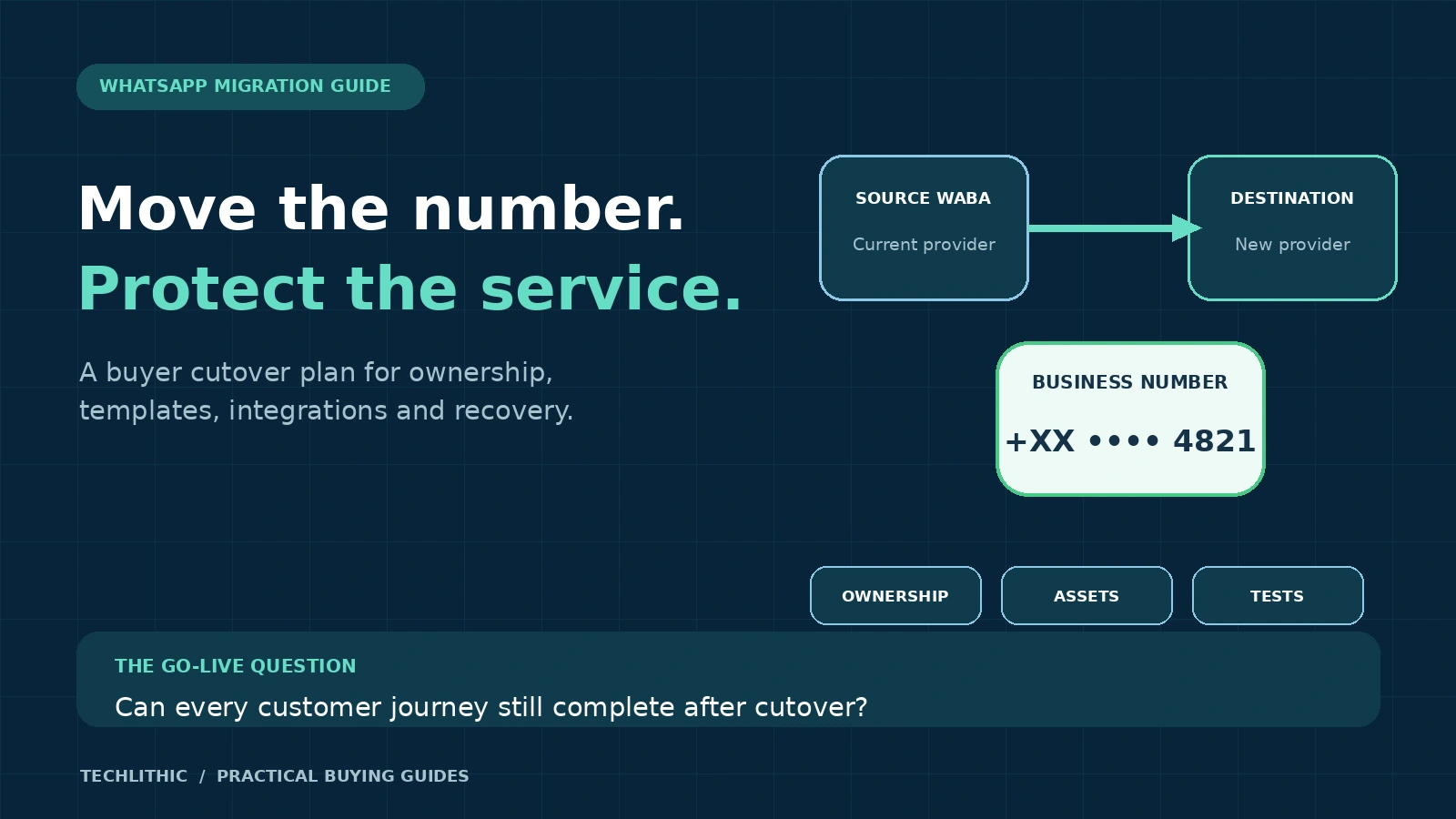
Approve the cutover only when the destination is configured, the transferable asset inventory is reconciled, consent and suppression records remain usable, end-to-end tests pass and a timed recovery plan has named owners.
Identify the migration path before comparing proposals
“Move our WhatsApp” can describe different jobs. A number already registered on the WhatsApp Business Platform may move between WhatsApp Business Accounts or solution providers. A number used in the WhatsApp Business App may require a coexistence path or an account transition. A provider may also support account sharing or ownership transfer rather than a classic number migration.
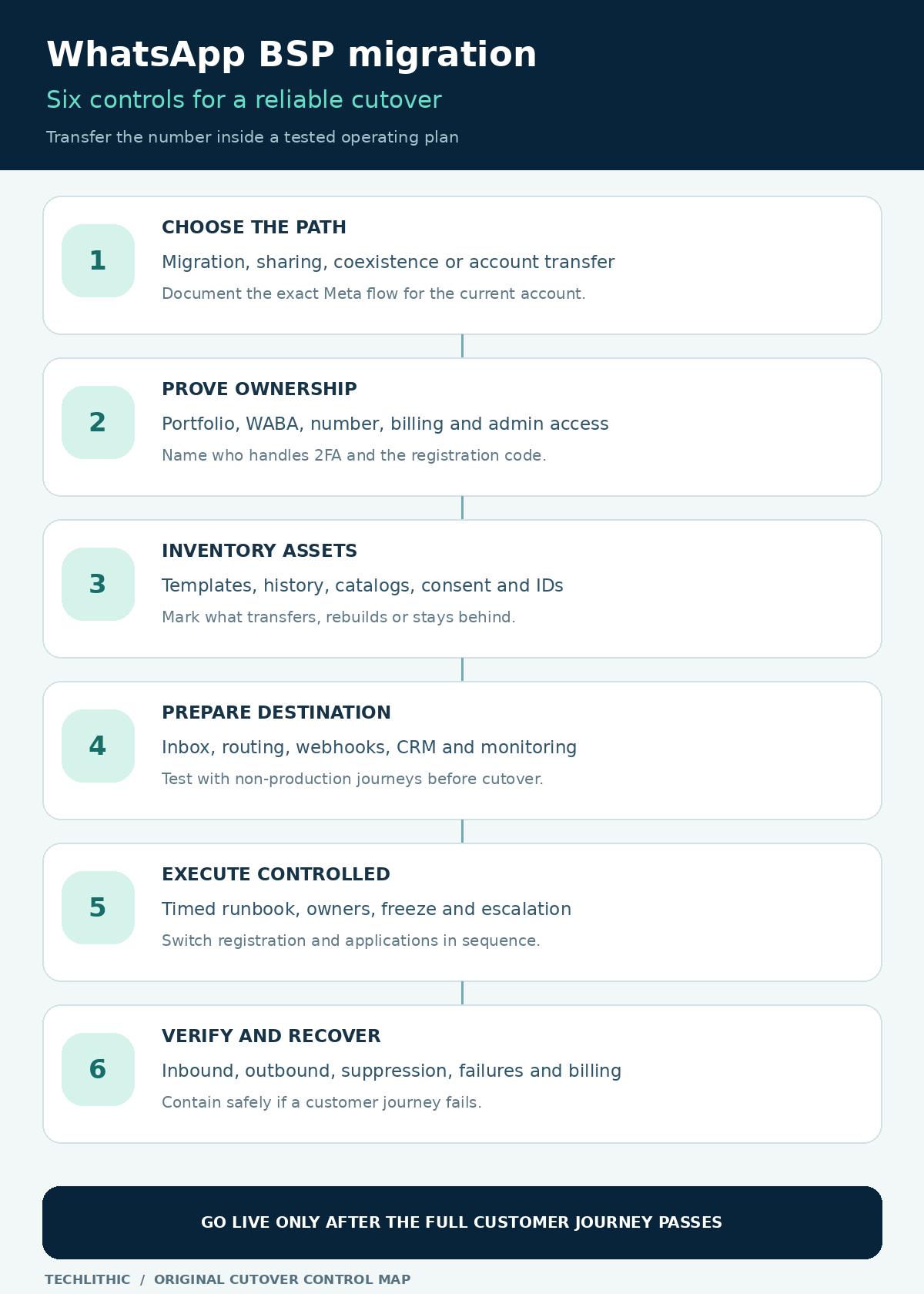
Do not let vendors price these paths as if they were interchangeable. Record the current Meta Business Portfolio, source WhatsApp Business Account (WABA), phone-number ID, display name, provider, hosting model and destination design. Ask the destination provider to name the exact supported Meta flow for that account state.
Current provider documentation shows why this classification matters. 360dialog separates platform-number migrations, WABA changes, partner changes and business-portfolio moves, with different conditions for each. [1] Vonage also tells customers to inspect Meta’s account model because some accounts use a sharing path rather than a solution-partner migration. [2]
If the existing number is still on a consumer or business mobile app, do not delete that account merely because a sales checklist says “migration.” Confirm whether coexistence is supported, what history remains accessible and whether the mobile app can continue. Deletion can be irreversible for the operating model, so it needs an approved path and backup plan.
Prove business ownership and remove hidden dependencies
The business should control the Meta Business Portfolio, domain, phone number, billing relationship and appropriate administrator access. A supplier can operate the service without becoming the only party able to approve a transfer. Before notice is given, list every person and provider that can access the portfolio, WABA and phone-number settings.
Capture the source and destination WABA IDs, business verification state, phone-number status, approved display name, current payment method, quality rating, messaging limit, official account status and data-localization setting. Keep screenshots or exports with a timestamp. These are baseline evidence, not a promise that every field will transfer.
Twilio’s current migration documentation requires an active verified Meta Business Portfolio, an approved source WABA and a valid payment method for its route. It also instructs the customer to disable two-factor authentication for the number and warns that selecting the wrong portfolio or WABA during registration causes an error. [3] Salesforce likewise requires access to the number for PIN verification and notes that an IVR or extension can block the automated call. [4]
Ask who will disable two-step verification, who receives the registration code, when protection will be restored and how long the lower-control window remains open. Treat access changes as a controlled activity with a start time, owner and completion check.
Build a transfer matrix for every asset and dependency
A phone number can move while the surrounding service remains incomplete. Build an asset matrix with four outcomes: transfers automatically, can be recreated before cutover, must be rebuilt after cutover or remains only in the source system.
| Asset | Buyer question | Required evidence |
|---|---|---|
| Number identity | Which display name, quality, tier and official status are expected to persist? | Source baseline and destination readback |
| Templates | Which name-language pairs are eligible, copied and approved? | Side-by-side template inventory |
| Conversation history | Does history move, remain exportable or stay in the old inbox? | Export and operator access test |
| Catalogs and media | Must product links or uploaded media be recreated? | Destination content check |
| Consent and suppression | Where are opt-ins, opt-outs and lawful-purpose records held? | Reconciled customer eligibility set |
| Integrations | Which IDs, tokens, webhooks and mappings change? | Configuration register and test results |
Salesforce states that message and chat history do not migrate in its documented BSP flow. 360dialog’s impact table also marks chat history and catalogs as non-migrating while listing display name, number quality, messaging limits and official account status as transferable. [4] [1] Do not generalize those statements to every route. Put the destination provider’s answer in the statement of work.
Reconcile templates instead of assuming they copy cleanly
Export the source template inventory by name, language, category, status, quality and the application journey that uses it. Identify critical templates for login, orders, appointments, payments, support and marketing. Map each template to the exact destination name and status before cutover.
Provider documentation is not uniform in its wording. Twilio says high-quality templates are duplicated, may be recategorized and can end up rejected; it also says duplicated template quality begins as unknown. [3] Salesforce describes high-quality approved templates as copied and immediately usable in its flow, while low-quality, rejected or pending templates are excluded. [4] 360dialog also describes eligibility and destination-capacity limits. [1]
The practical response is a reconciliation gate, not a debate over generic rules. The destination provider should produce the post-copy list. Your team should confirm the exact name-language pairs referenced by code, campaign tools and automation. Recreate missing templates early enough for review, and define a manual or service-window fallback for any critical journey that lacks an approved template.
Do not use a migration to silently broaden marketing permission. A copied template does not prove that a recipient is eligible to receive it.
Preserve opt-ins, opt-outs and customer expectations
Consent evidence normally lives in CRM, ecommerce, forms, campaign systems or the source provider’s records. Determine which system is authoritative, export the required evidence and reconcile suppression lists before the destination can send.
WhatsApp’s Business Messaging Policy, last updated September 23, 2026, says businesses may contact people only when they have the required contact information and opt-in permission, must respect opt-out requests, and may initiate platform conversations only with approved templates. [5] The policy also recommends clear category-specific consent and opt-out paths.
Test suppression as a mandatory cutover case. A contact who opted out in the source system must remain blocked in the destination. Verify channel, message category, timestamp, source and current status. If the evidence cannot be transferred reliably, stop affected outbound journeys until it can be reconstructed lawfully.
Tell support and marketing teams what customers will notice. A new provider may change inbox behavior, agent assignment, link tracking or response timing even when the phone number and display name remain the same. Customer-facing continuity is an operational test, not merely a Meta account status.
Configure and test the destination before the number moves
Create the destination environment with the intended users, roles, queues, business hours, routing, canned replies, escalation, CRM mapping, ecommerce events, analytics and retention settings. Prepare webhooks, credentials and network allowlists, but keep production sending disabled until the approved cutover.
Use test numbers or a non-production channel to exercise inbound text and media, template sends, delivery and failure webhooks, agent replies, opt-out handling, chatbot handoff, duplicate events and unavailable downstream systems. Record expected payloads and resulting business records. A provider dashboard showing “connected” is not end-to-end evidence.
Account identifiers can change. Twilio documents an error that occurs when an application continues to use a previous WABA ID after migration and recommends confirming the number’s current WABA association. [6] Search code, secrets, automation, data pipelines and reports for the source WABA ID, phone-number ID, provider account ID, webhook secret and API endpoint.
If data localization applies, compare the source and destination configuration before registration. Twilio’s current route requires matching regions during migration. [3] Treat this as provider-specific preflight evidence and confirm it for the selected route.
Worked example: migrate an ecommerce service number
Consider an invented retailer using one WhatsApp number for order updates, cart reminders and customer support. The current BSP also hosts its inbox and webhook automation. The business wants a new provider for better routing and reporting. This example is a planning illustration, not a client result.
One week before cutover, the team freezes non-essential template edits, exports templates and suppression records, records Meta asset states and completes destination configuration. It tests a non-production number through the new inbox, CRM and order platform. Two days before cutover, it reconciles approved templates and confirms that the phone can receive the registration code without an IVR.
During the agreed window, the access owner disables two-step verification only when required, the migration owner completes the provider flow, and the integration owner switches secrets and endpoints. The team then runs the acceptance pack:
- A customer message creates one conversation and routes to the correct queue.
- An authenticated order lookup returns the correct test order.
- An approved utility template sends and reports delivered status.
- A suppressed test contact cannot enter the marketing journey.
- A failed CRM call produces a visible retry or human task without duplicate messaging.
- An agent reply and chatbot handoff preserve the required context.
The team monitors the old and new provider views for late events and billing attribution. It does not promise an instant reversal of the Meta transfer. Its recovery plan focuses on disabling new outbound automation, reverting application endpoints where possible, switching to manual support and escalating to both providers with the captured asset and event IDs.
Define downtime as a customer journey, not a platform claim
Some provider documentation describes the Meta number move as having no downtime because the source can operate until registration completes and the destination can send after migration. Salesforce makes that statement while still advising customers to configure and test the destination first. [4]
For procurement, define downtime more strictly: the elapsed period in which a named customer journey cannot complete correctly. A number may be registered while an inbound webhook points to the old endpoint, an inbox user lacks access, a template is missing or a CRM mapping writes to the wrong field.
Ask each provider for a timed runbook with responsibilities, dependencies, communication channels and escalation thresholds. Include a change freeze, start decision, registration step, application switch, acceptance tests, observation period and close decision. State which failures pause the cutover and which failures trigger containment.
Do not label “rollback” unless the exact action is supported and tested. The provider should distinguish between reversing an application configuration, moving a number again, disabling outbound messages and operating manually. Those are different recovery actions with different lead times.
Compare BSP proposals on evidence and exit readiness
Price the same scope across providers. Separate Meta charges, provider platform fees, migration assistance, onboarding, template remediation, integration work, historical-data export, training, monitoring and post-cutover support. The WhatsApp API cost guide explains how to separate channel, software and implementation layers.
Require a responsibility matrix covering the business, source BSP, destination BSP, Meta access owner and integration team. The source provider may need to disable two-step verification or supply exports. The destination may manage registration but not rewrite your CRM integration. Unassigned work becomes cutover risk.
Include exit terms before signing: business ownership of the Meta portfolio and number, administrator access, export formats, template and conversation records, credential rotation, assistance with future transfer, response times and fees. A migration service that recreates provider lock-in has not solved the buyer’s long-term problem.
TechLithic operates Sendwo and offers WhatsApp Business API implementation and onboarding and training. Apply this same checklist to TechLithic, Sendwo or any other provider, and request current route-specific evidence before authorizing a number move.
Use this go or hold checklist
- Has the destination provider named the exact Meta migration, sharing or coexistence path?
- Does the business control the Meta portfolio, number, domain, billing and administrator access?
- Are source and destination WABA IDs, phone IDs, account states and localization settings recorded?
- Is the registration-code route tested without IVR, extension or unavailable staff?
- Is there an approved, timed plan to disable and restore two-step verification where required?
- Does the asset matrix state what transfers, what is copied, what is rebuilt and what stays behind?
- Are critical templates reconciled by name, language, status and application reference?
- Are opt-ins, opt-outs and suppression records usable in the destination before outbound sending?
- Are webhooks, credentials, IDs, integrations, inbox roles and routing tested end to end?
- Are customer-journey acceptance tests agreed with expected results and evidence owners?
- Does the runbook distinguish application rollback, service containment and number re-migration?
- Are late events, source invoices and destination billing reconciled after cutover?
- Do the contract and handover preserve business ownership and future exit assistance?
Hold the migration if the path is ambiguous, the business lacks administrative control, consent records cannot be preserved, critical templates are unavailable, the destination is untested or recovery ownership is missing. A later controlled cutover is preferable to a fast transfer that disconnects the operating service around the number.
Frequently asked questions
Will the same WhatsApp phone number remain after changing BSPs?
A supported platform migration is intended to move the existing registered number. Confirm the exact route and eligibility with both providers because app, WABA, portfolio and newer account-sharing scenarios can require different procedures.
Do WhatsApp chat histories migrate to the new provider?
Do not assume they do. Current provider documentation for common BSP flows says message or chat history may not transfer. Export what the source permits and test how operators will access historical context after cutover.
Will all message templates move automatically?
Not necessarily. Eligibility, destination capacity, category review and provider flow can affect the result. Reconcile every critical name-language pair and confirm its destination status before relying on it.
Can a WhatsApp BSP migration have zero downtime?
The Meta registration step may be described as continuous by providers, but the business journey can still fail because of webhooks, credentials, routing, templates or integrations. Define and test downtime at the customer-journey level.
Should two-step verification be disabled early?
Only within the approved route and controlled window. Name who disables it, who completes registration, how long the exposure lasts and how protection is restored and verified.
Sources and research notes
Sources checked on 2026-10-31. Pricing and policy documents can change; verify current terms before approving expenditure.
- 360dialog documentation: Migrations
Provider documentation on migration scenarios, asset impact, template duplication, eligibility and preflight requirements.
- Vonage API Support: How to Migrate a WhatsApp Phone Number
Provider documentation updated October 28, 2026 on account-model checks, prerequisites, embedded signup and post-go-live preparation.
- Twilio documentation: Migrate phone numbers and WhatsApp senders
Provider documentation on prerequisites, Meta portfolio selection, two-factor settings, template duplication and data-localization checks.
- Salesforce Help: Migrating a WhatsApp Channel from Another BSP
Provider documentation published June 7, 2026 on PIN access, asset continuity, chat-history limits, template treatment and cutover preparation.
- WhatsApp Business Messaging Policy
Official WhatsApp policy, updated September 23, 2026, covering opt-in, opt-out, message templates and customer-service windows.
- Twilio error reference: Phone number migrated to a different WABA
Provider error guidance on stale or mismatched WABA identifiers after migration or re-registration.
WhatsApp policy and current documentation from Twilio, Salesforce, 360dialog and Vonage were opened on October 31, 2026. Provider routes and terminology can differ, and some documentation describes template handling differently. The guide therefore requires route-specific written confirmation and post-transfer reconciliation instead of asserting one universal procedure. The ecommerce cutover is an invented planning example, not a client result or service guarantee.